
Reference + text
John 3:16 For God so loved the world, that he gave his only begotten Son, that whosoever believeth in him should not perish, but have everlasting life.
 copyBible
When you need a verse while writing sermon notes, a bulletin or slides, there is no need to open a Bible or a website — press a shortcut right where you are typing, find it, and paste it.
CtrlAltB on Windows · ⌥ Space on a Mac
Windows 10/11 · macOS (Intel and Apple silicon) · the interface is in Korean; the KJV is built in and works offline
Ctrl Alt B
A small window opens on top of whatever you are working in. Clicking the notification-area icon works too.
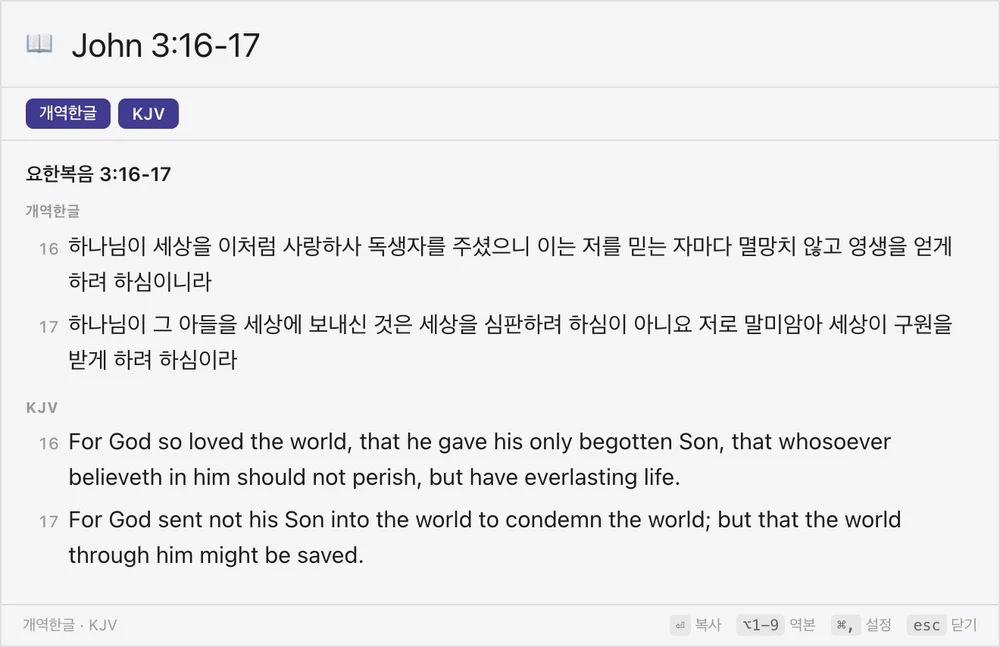
John 3:16
Abbreviations, full names and Korean initials all work. The text appears as you type, and if a name could mean several books you choose one.
Enter
The passage goes to the clipboard in the format you chose and the window closes. With auto-paste on, it lands right in your document.
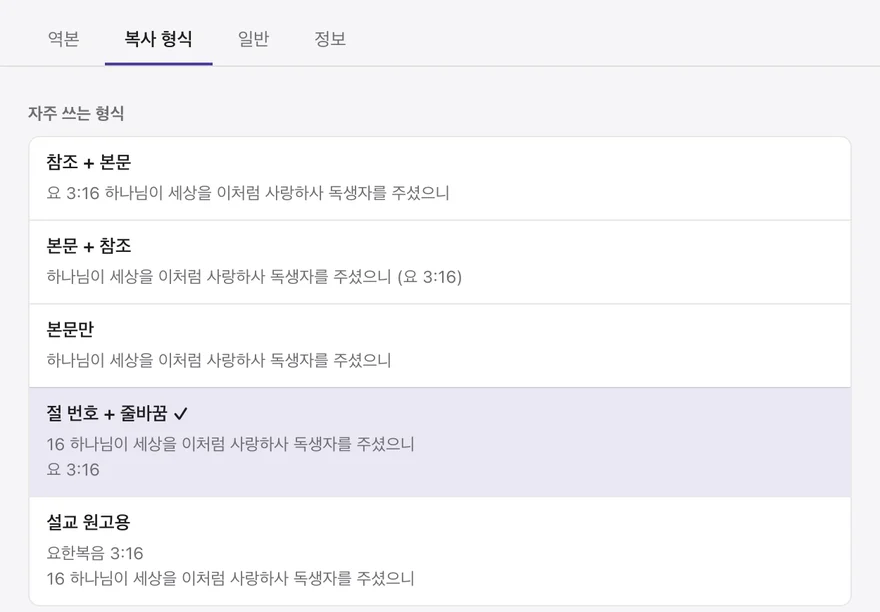
Choose where the reference goes, whether each verse starts a new line, and whether verse numbers are included. Three of the five presets are shown here.
John 3:16 For God so loved the world, that he gave his only begotten Son, that whosoever believeth in him should not perish, but have everlasting life.
16 For God so loved the world, that he gave his only begotten Son, that whosoever believeth in him should not perish, but have everlasting life.
John 3:16
John 3:16
16 For God so loved the world, that he gave his only begotten Son, that whosoever believeth in him should not perish, but have everlasting life.
These were produced by the app's own copy function (KJV, with English book names). With several translations on, each one is labelled.
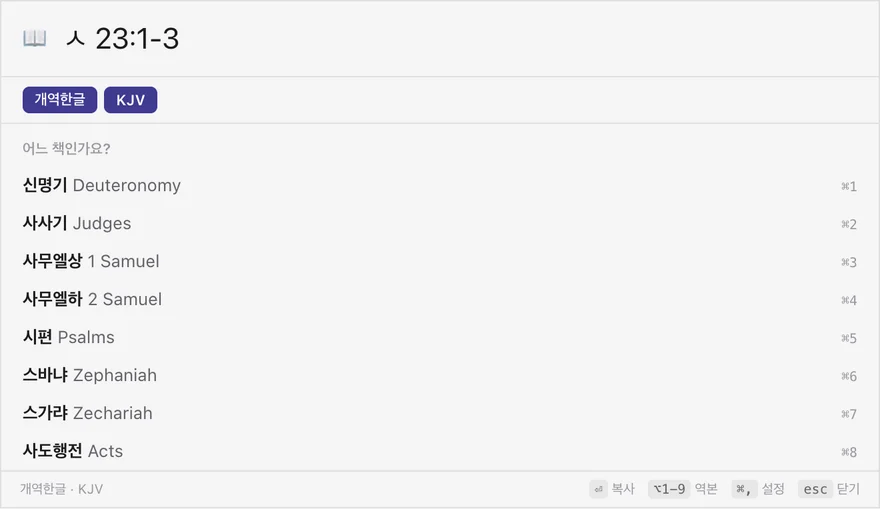
John 3:16 · Jn 3:16 · 요 3:16 · ㅇㅎㅂㅇ 3:16. Periods (John 3.16) and full-width digits work too.
John 3:16-4:2 · Gen 1-2 · Matt 5:3-12; 6:9-13 — found and copied together.
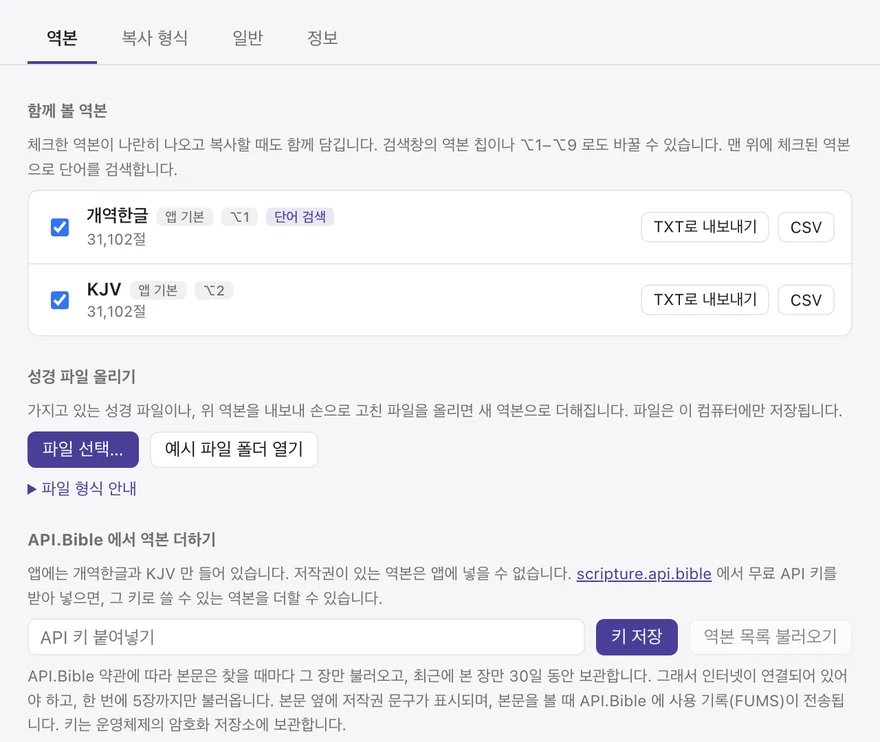
Turn on Korean 개역한글 and the KJV together to see and copy both. Alt+1–9 toggles them.
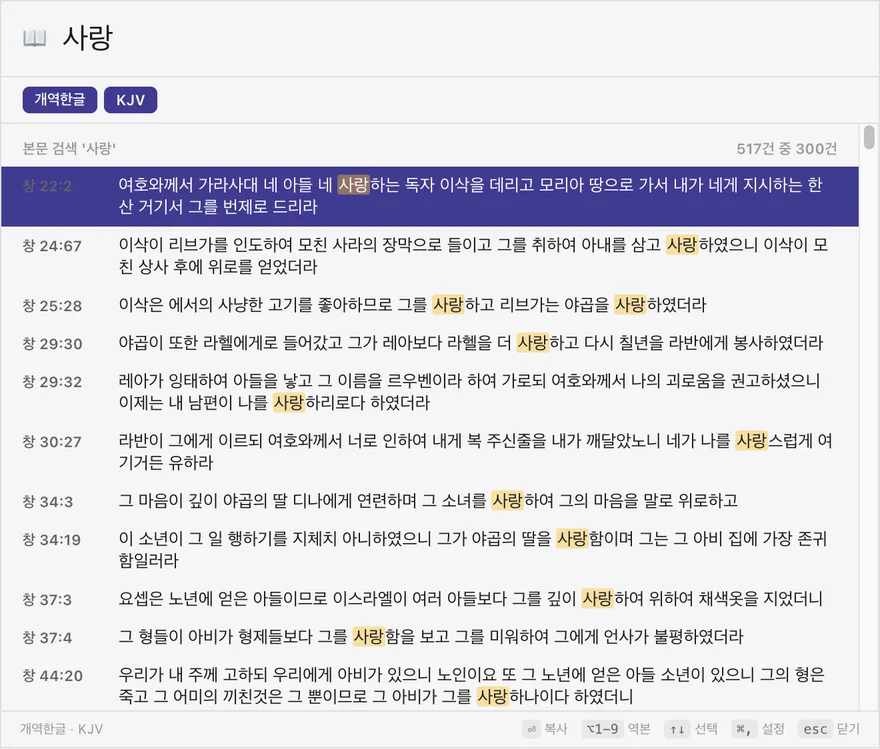
Can't remember the reference? Search by word, pick with the arrow keys and press Enter.
With auto-paste on, the app presses Ctrl+V in your document after copying. On a Mac this needs the Accessibility permission.
Waits quietly in the notification area (the menu bar on a Mac), with your recent references one click away.
The app contains only 개역한글 and the KJV, whose copyrights have expired. Please add other translations only if you have the right to use them.
No account, and no internet needed (only API.Bible translations go online).
It costs nothing — but coffee is welcome.
If copyBible has saved you some time preparing sermons or bulletins, a cup of coffee says thanks and helps build what comes next.
☕ SupportBuy Me a CoffeeOne cup is plenty · buymeacoffee.com/ccumgol
Less time looking for the verse, more care in sharing it.
